
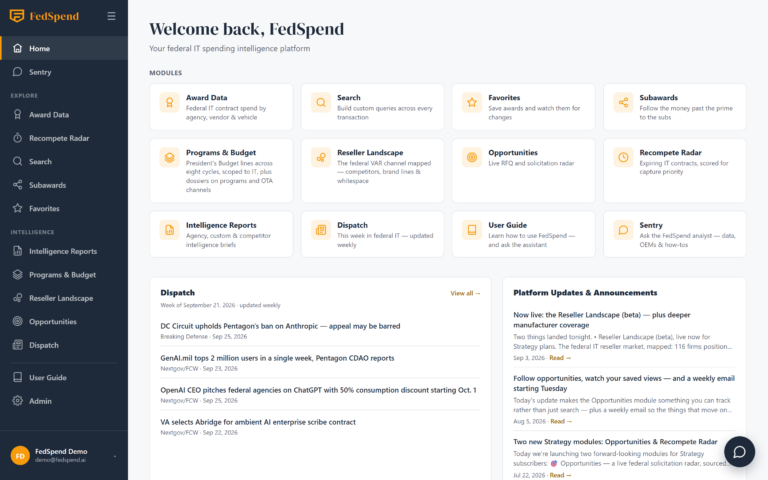
Award Data Platform
From $675B in spend to a single transaction — in four clicks.
FedSpend turns USAspending.gov, SAM.gov, the President’s Budget, and FPDS into one cohesive workspace. Search, filter, and explore 2.4M federal IT transactions — by agency, reseller, contract vehicle, NAICS, and PSC. Every screen below is the live product.
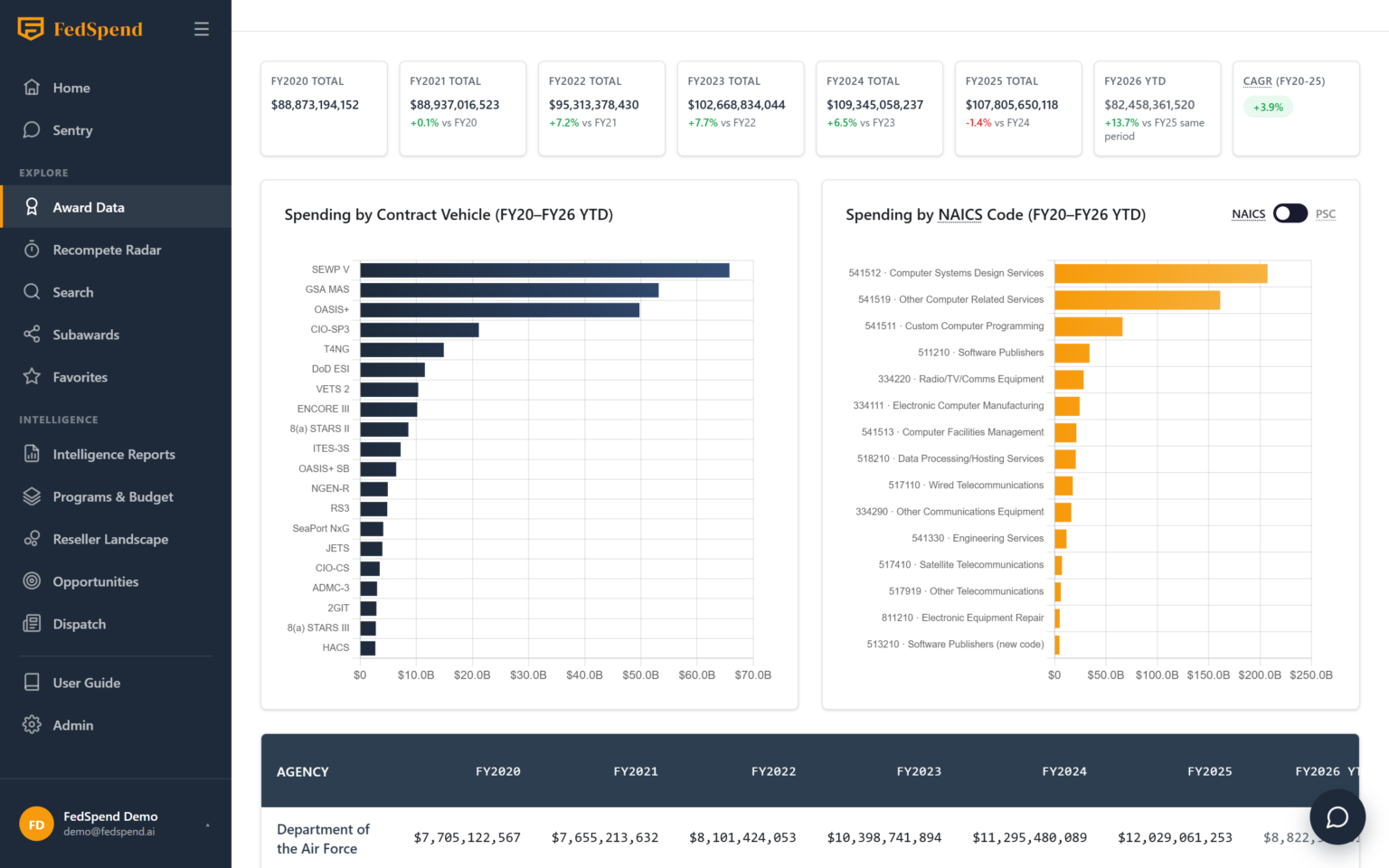
Federal IT Spending Overview
Start with $675B in federal IT spend.
See a full fiscal year of federal IT spending by agency, vendor, and vehicle in one dashboard — FY2020 through FY2026 YTD, with every year’s change against the one before.
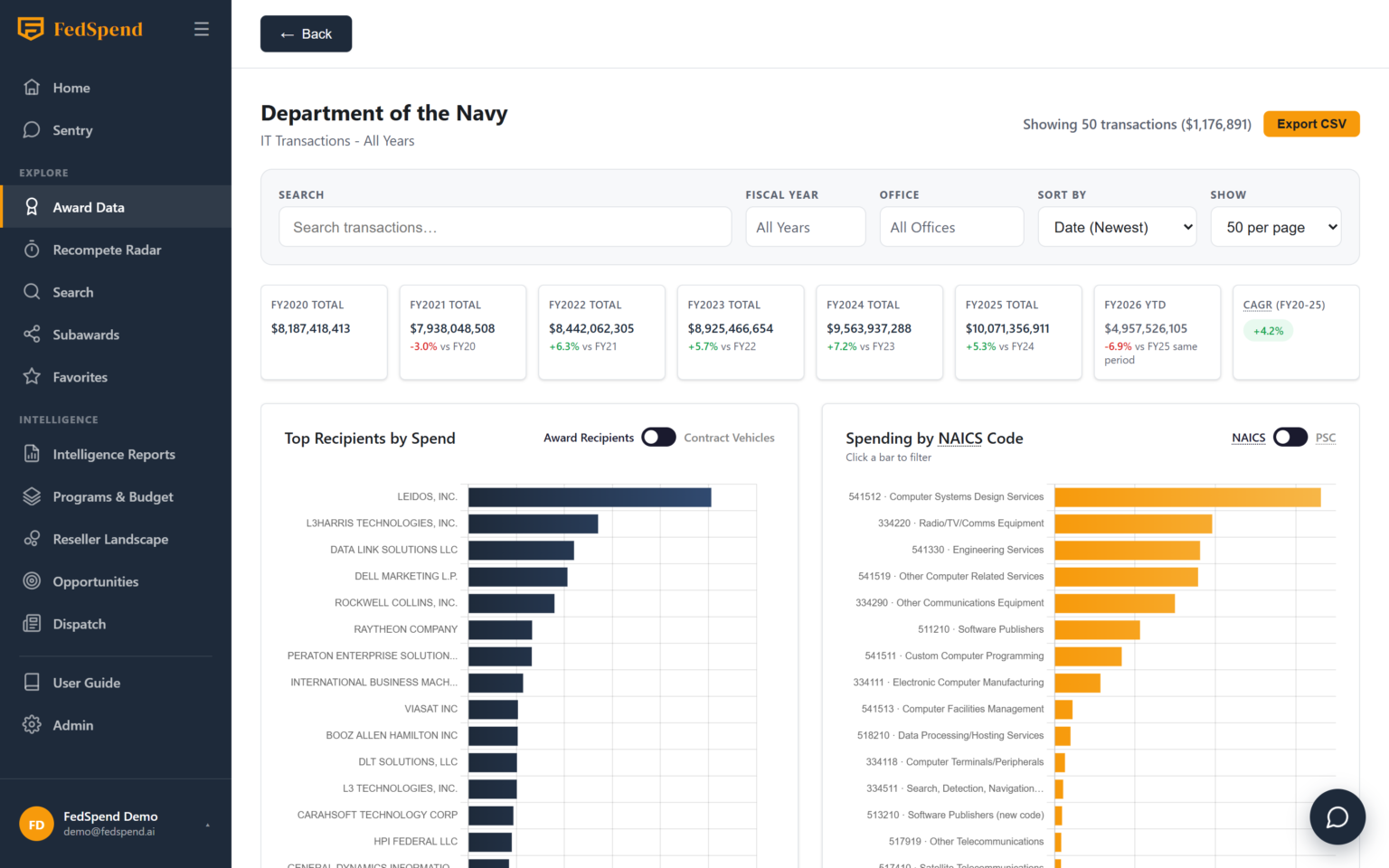
Agency Drill-Down
Click into any agency.
The Department of the Navy broken out by top recipients, NAICS code, and fiscal year — sub-agencies, offices, top vendors, and vehicle mix, with full transaction detail one click away.
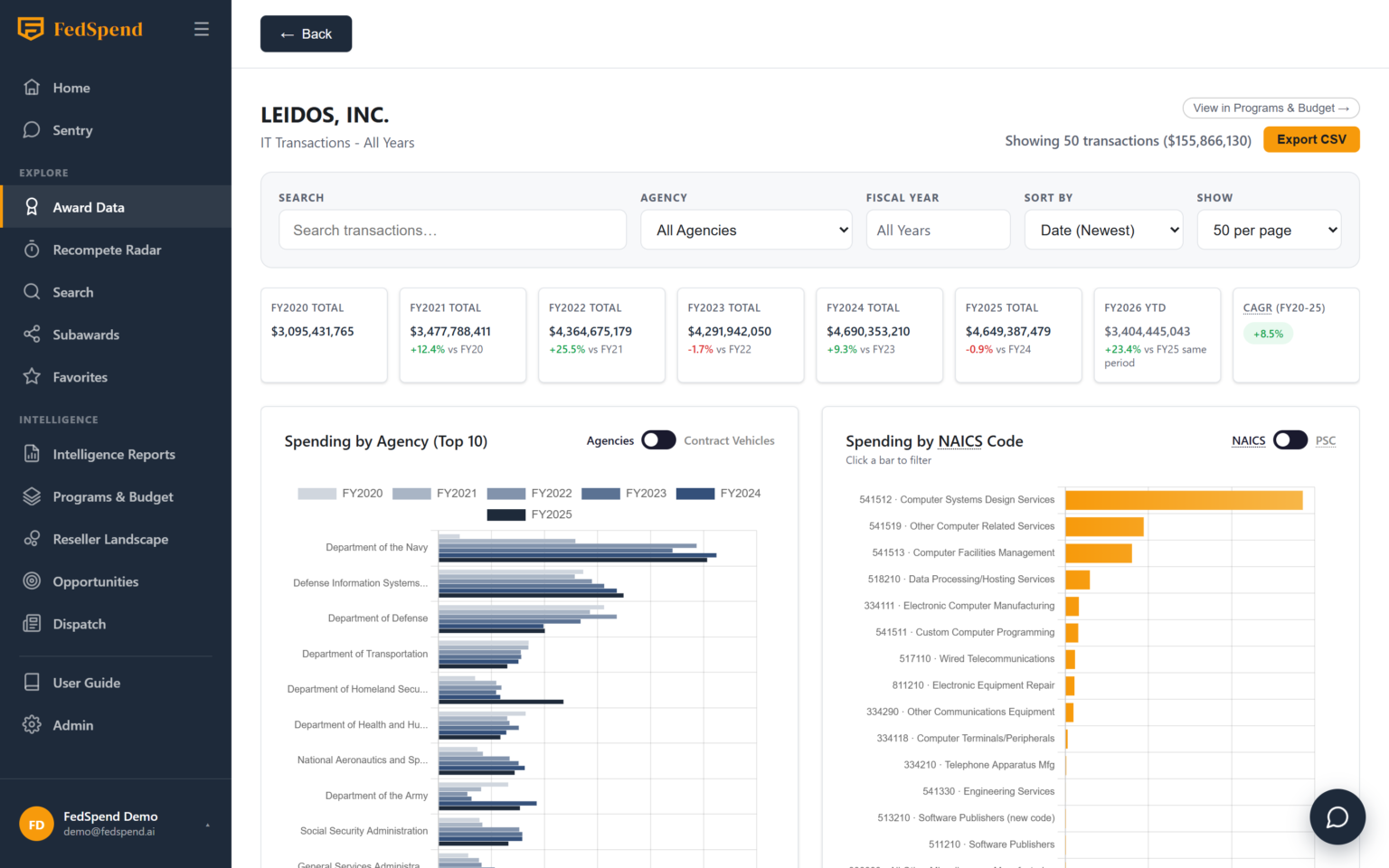
Vendor Views
Every vendor gets a profile.
Spend by year, agency mix, and the vehicles it sells through — here, Leidos across FY2020–FY2026, grouped by its top ten agencies.
Free-Text Search
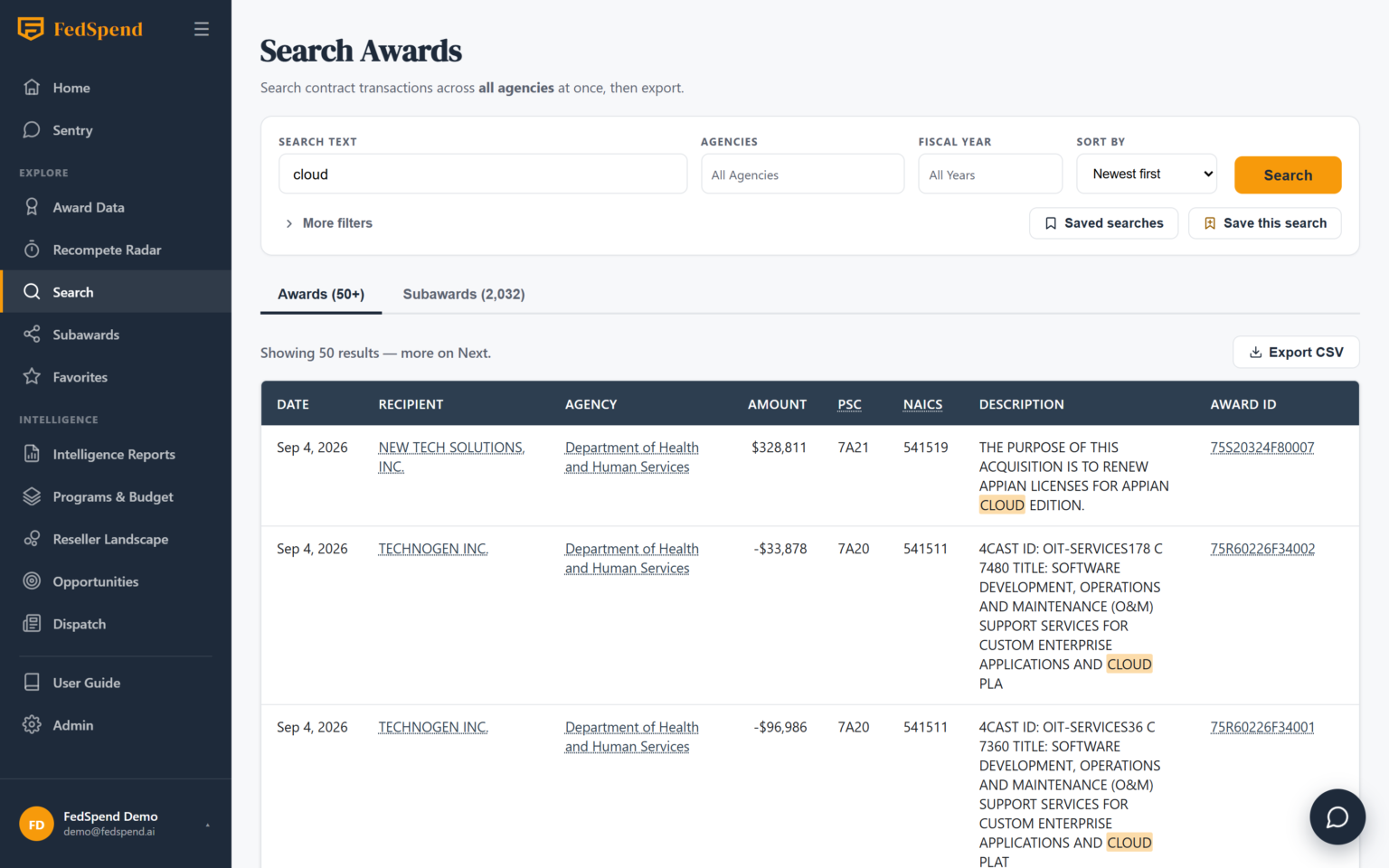
Search every agency at once.
Awards and Subawards in one box, two tabs — so a single term shows you where a company shows up as a prime and as a subcontractor. Export any view to CSV.
Award Detail
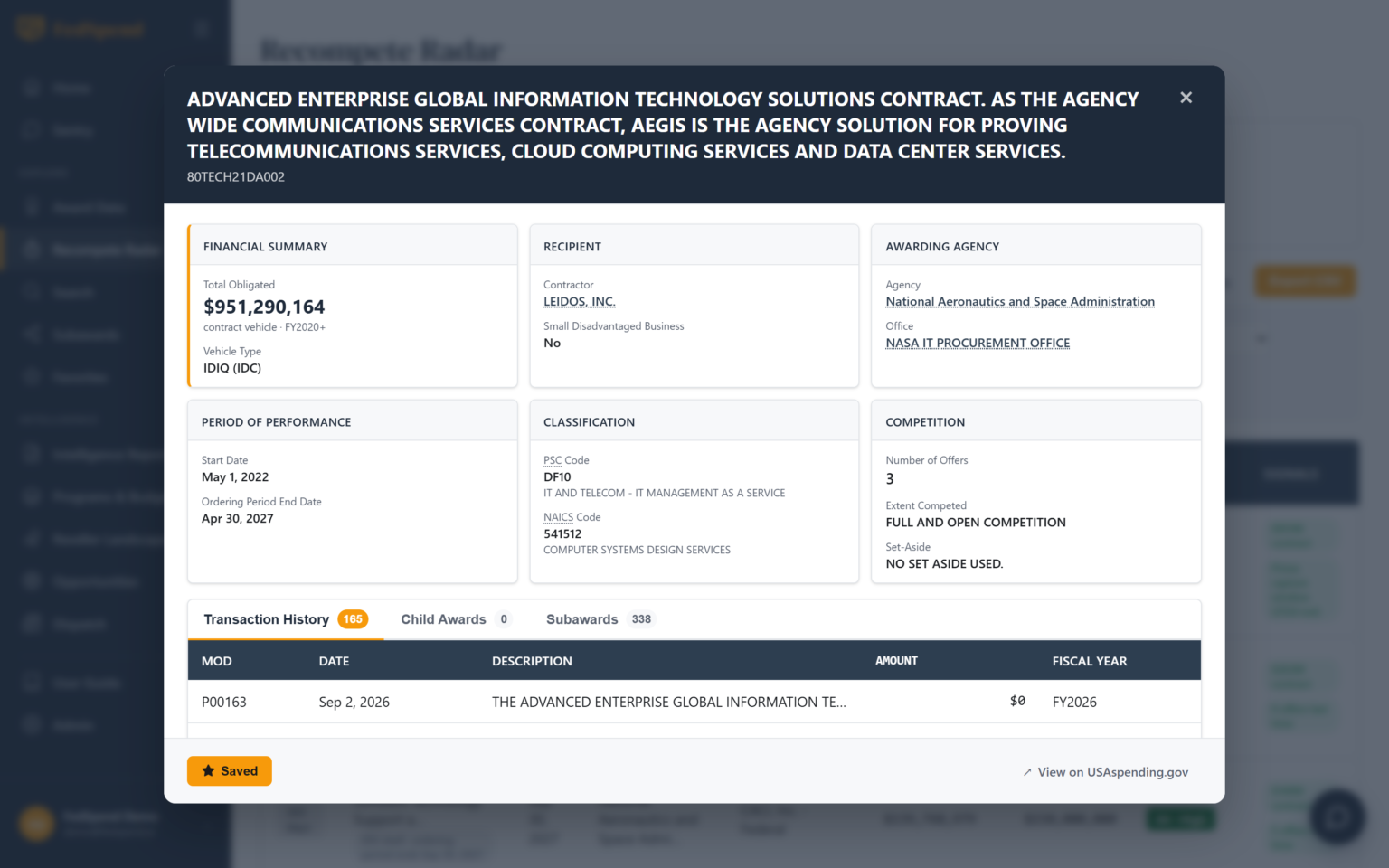
Every transaction, fully decomposed.
Open any award for its full transaction history, including the rolled-up child orders under an IDV, BPA, or GWAC — with its subawards on the next tab over.
Interactive by Default
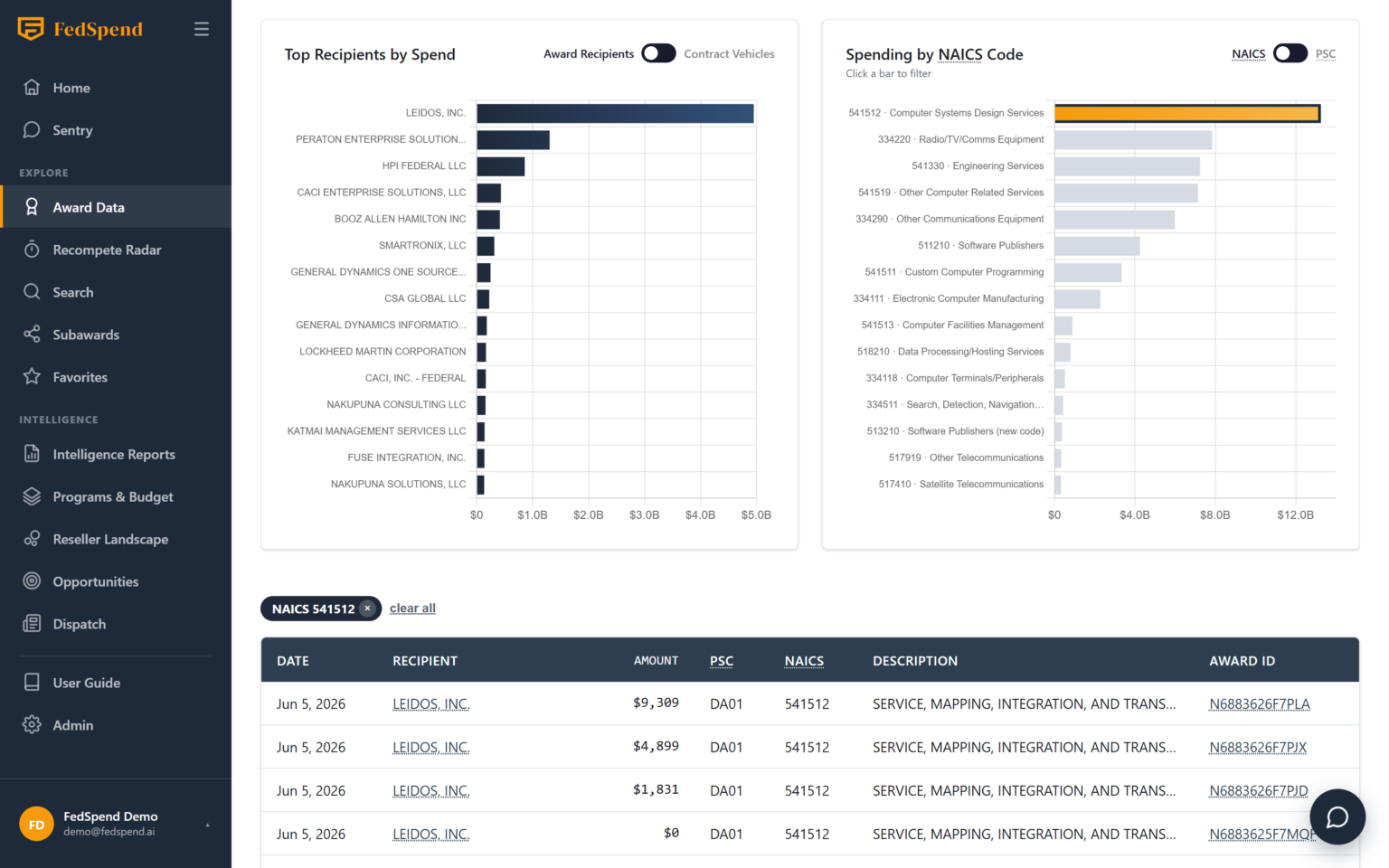
The charts are controls, not pictures.
Click a NAICS or PSC bar on any chart and the whole page filters to it — top recipients, the transaction table, the fiscal-year cards. The active filter shows as a chip you can clear with one click.
Search & Subawards
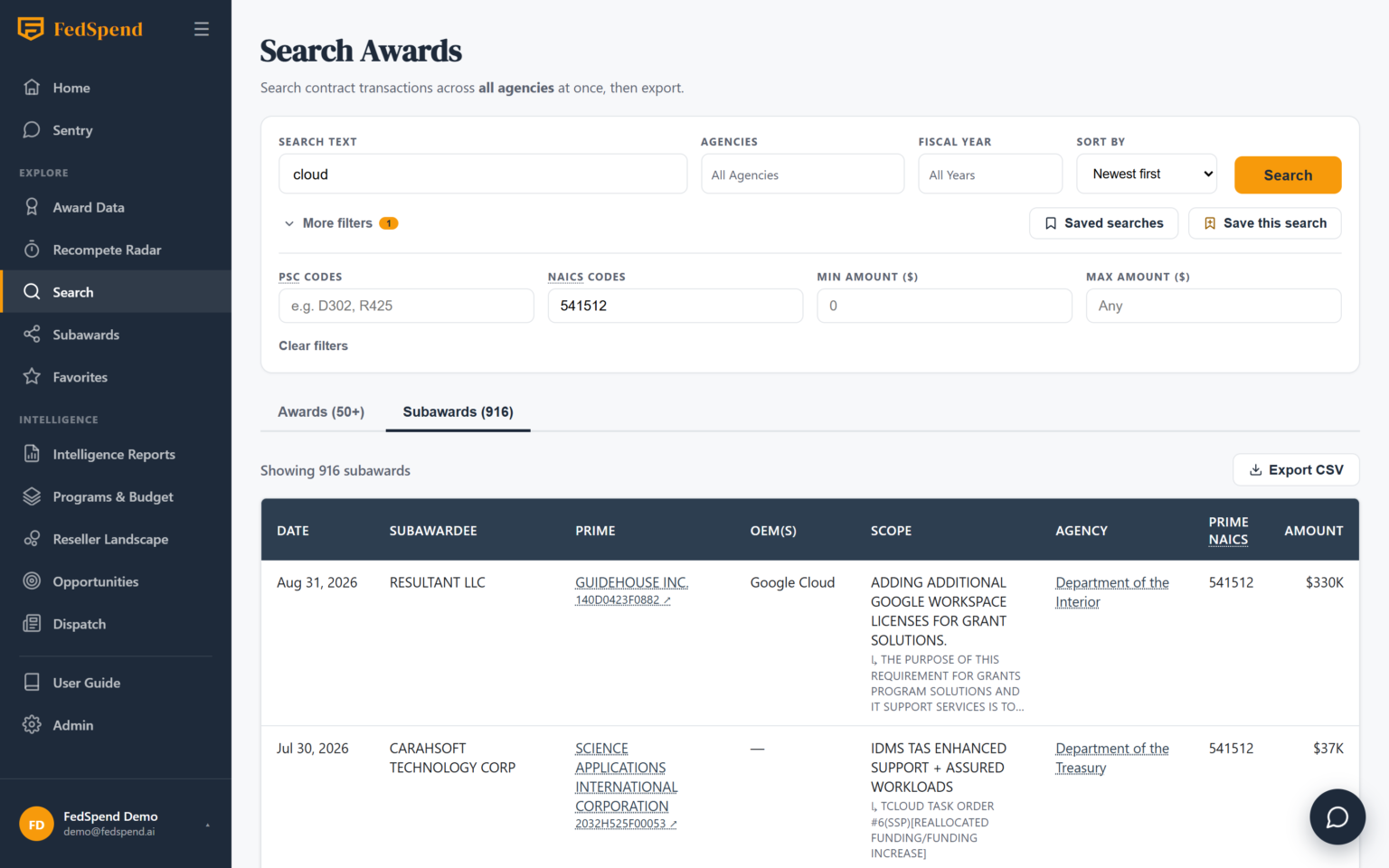
Follow the money past the prime.
One search box, two tabs: Awards and Subawards — so a single term shows you where a company shows up both as a prime contractor and as a subcontractor. The Subawards tab is especially useful for finding IT work riding under a non-IT prime contract, which never shows up in a normal award search. Search and Subawards are Strategy-plan features.
Real query operators
AND, OR, exclusions, and quoted whole-word matching across 2.4M award descriptions — plus agency, fiscal-year, PSC/NAICS, and dollar-range filters.
Subaward intelligence
113K subaward records worth $200B+, including the “IT under a non-IT prime” view — built from the federal FSRS feed.
Saved searches
Name it, pin it, rerun it with one click. Your standing queries become a monitoring workflow, not a chore.
CSV export
Both tabs export, any filter, one click — to your CRM, your QBR deck, or your own models (subject to your monthly quota).
The platform works while you don’t
Favorites
Watchlists with memory
Star any award. When you come back, FedSpend flags new transactions and obligation changes since your last visit.
Dispatch
This week in federal IT
A weekly brief plus a rolling, filterable feed, distilled from a dozen curated federal-IT sources — the Monday-morning read before pipeline review.
Sentry AI
Ask the analyst
An in-app AI analyst that answers data questions with live context, opens pre-filled searches for you, and looks up OEMs, subawards, and programs.
The data is half the story. The reports are the other half.
Everything you find here can become an analyst-grade intelligence report — installed base, competitor maps, expiring contracts, growth plays sized in dollars.